Show your license number
Last updated
You can add your contractor license number in Account and show it on your proposals. It is optional, and nothing shows until you turn it on.
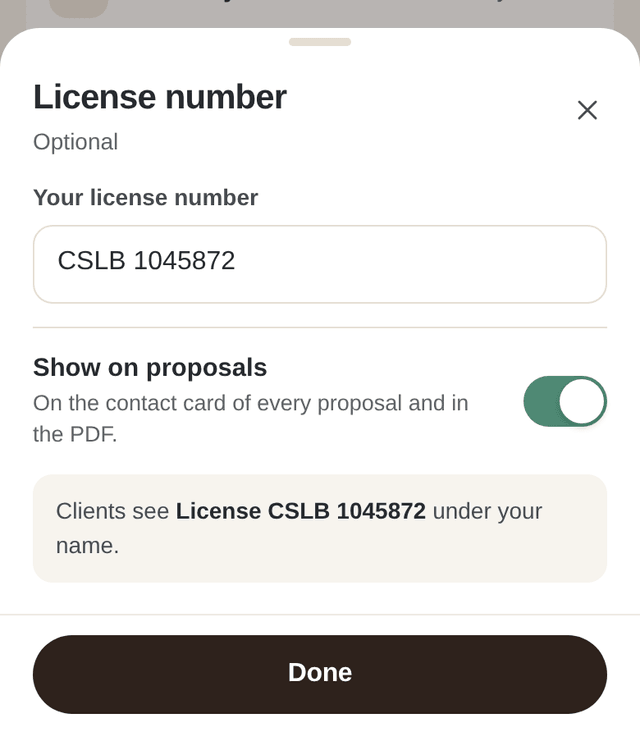
- In Account, choose License number.
- Type it the way you want it read, for example 12345 or CSLB 123456.
- Switch on Show on proposals.
Your client then sees it under your name on the contact card at the end of the proposal, and in the PDF. A number on its own reads "License #12345", and anything else reads as you typed it, for example "License CSLB 123456".
Workbencher shows your license number as you typed it and does not verify it. To stop showing it, switch Show on proposals off. The number stays saved.